


RaceChrono - Laptiming
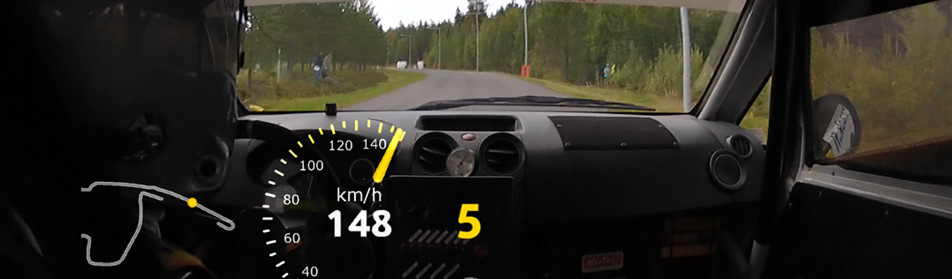
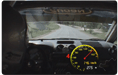
Team Incar videos & Racechrono Then, all you have to do is to use a videoediting software to combine a picture in picture video. The gauges are totally customizable, so you can have your own look and feel. You can find the support forum for RaceChrono2AVI from RaceChrono support forums. |
Team videos |
RaceChrono RaceChrono is a smart phone application intended for measuring lap times and analyzing laps, and is available for Windows Mobile and S60 smart phones. The free application is developed by a Finnish company named RaceChrono.
RaceChrono's aim is to give immediate feedback of laps and to provide a way to analyze laps without transferring any data to a computer. The software is particularly aimed towards recording lap times in motor sports. The software can be downloaded for free from: www.racechrono.com and from Nokia's Ovi Store.
Racechrono features Laptiming (times, splits, sectors, high/low speed, graph etc.) Datalogging Livetimer OBD-II channels Performance Testing (400 m , 0-100 kph, 0-200 kph, 60-160 kph, 100-200 kph etc or user defined test!)
Laptiming & Performance test RaceChrono supports both circuit and special stage (rally, sprint, hillclimb) -type tracks. The units can be changed between Metric and English. Including export functionality example to Google Earth (.kml), spreadsheet (.csv), VBox (.vbo), Danas (.dat) and GPX (.gpx), plus an import functionality for DriftBox, PerformanceBox, Vbox and G2xtreme formats.
With Performance testing feature, you can test your vehicle's acceleration. You can select from various different tests, for example 0-100 kmp acceleration test and a quarter mile test. Remember not to try these tests on the public roads!
RaceChrono track library
In addition to downloading tracks using RaceChrono itself, you can browse the tracks and download them manually from RaceChrono track library. This is particularly useful for those without data connection on their mobile phones, and just good fun for others.
GPS
For optimum GPS signal reception, make sure that the antenna is fitted to the highest point of the vehicle away from any obstructions that may block satellite reception. When using any GPS equipment, a clear sky view is important. Objects in the surrounding area such and tall buildings or trees can block the GPS signal causing a reduction or loss in the number of satellites being tracked. Car: GPS antennas where possible should be placed on a large ground plane such as a roof.
Motorbike: On a motorbike the antenna should be placed as far from the rider as possible to reduce the satellite signal shadowing effect of the rider. Usually the best place is at the back of the bike, or even the rider's head.